Billing Operations overview
The Billing Operations module is the central surface for managing the full revenue cycle — from claim creation through payment reconciliation — within Medipyxis.
Module layout
Navigate to /facility/{facility_uuid}/billing. The module opens on four tabs:
| Tab | What it shows |
|---|---|
| Overview | High-level KPIs: total billed, pending claims, denial rate, and recent payment activity for the current period. |
| Claims | All claims in the facility, searchable and filterable by status, payer, date of service, and rendering provider. |
| Denials | Claims that have been denied, along with their denial appeal status and next action. |
| Payments (ERA) | Electronic Remittance Advice records received from the clearinghouse, matched against posted claims. |
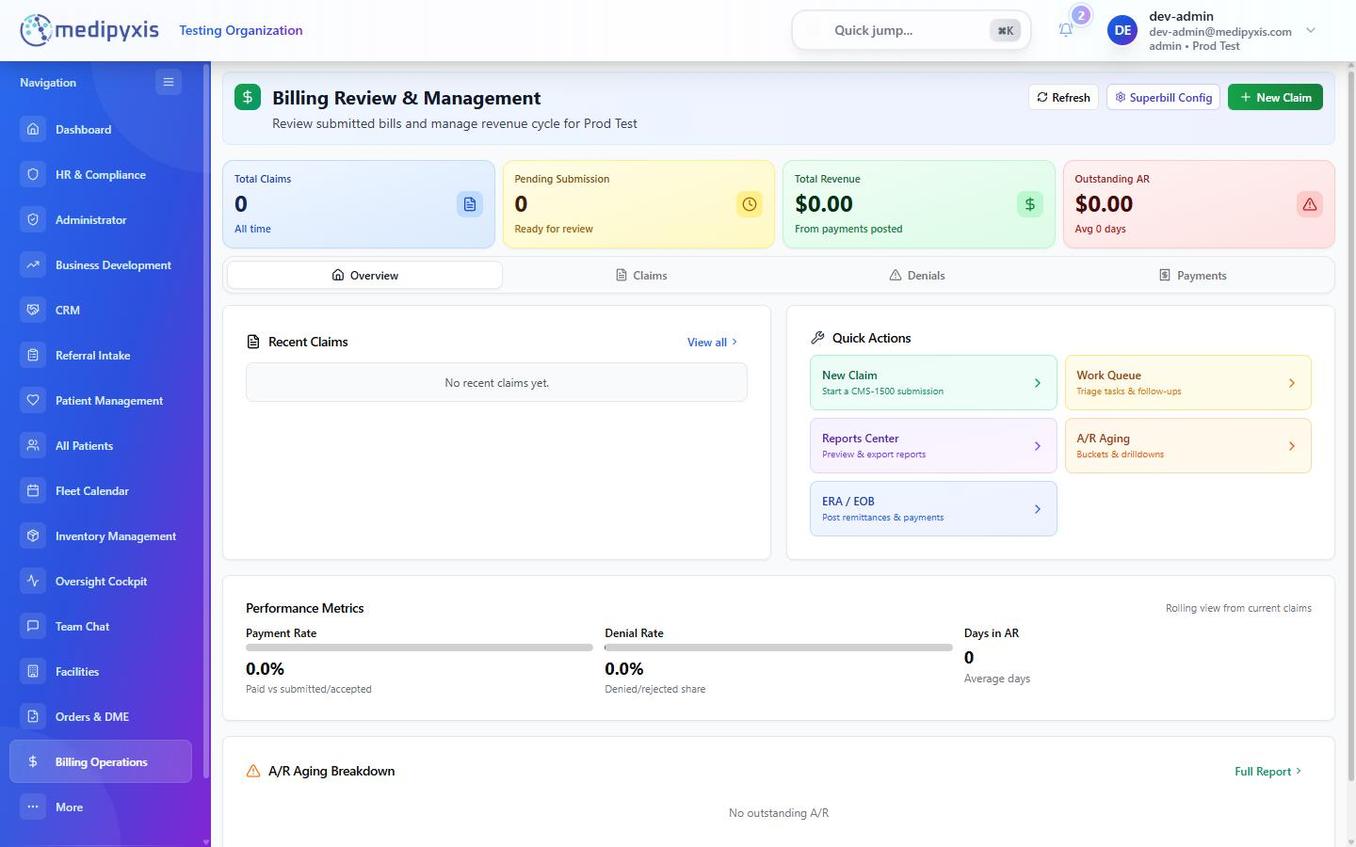 The Billing Operations landing page. The Overview tab is active by default.
Clearinghouse integration
Medipyxis connects to Stedi as the clearinghouse for electronic claim submission (837P), eligibility checks (270/271), claim status (276/277), and remittance advice (835). Claims that reach Exported status are sent to Stedi automatically; status updates flow back into the Work Queue and the Payments (ERA) tab in real time, without polling. Stedi replaced ClaimMD in May 2026 — historical ClaimMD claims remain visible for reference, but all new submissions go through Stedi.
Claim status lifecycle
Every claim moves through a defined sequence of statuses. Understanding this lifecycle helps you prioritize work and identify bottlenecks.
| Status | Meaning |
|---|---|
| Draft | Claim started but not yet complete. |
| Pending | Auto-created from a completed visit, awaiting biller review. |
| Needs Info | A required field is missing or a validation error must be resolved before the claim can advance. |
| Approved | A biller reviewed the claim and marked it ready for export. |
| Exported | The claim has been exported / sent to Stedi. |
| Submitted | Marked as submitted to the clearinghouse. |
| Paid | The payer adjudicated the claim and an ERA has been received and posted. |
| Denied | The payer denied the claim — it enters the Denials workflow. |
| Appealed | An appeal has been filed on a denied claim. |
| Cancelled | Claim voided / cancelled. |
A claim can enter the Denials workflow at any point after submission if the payer returns a denial. The claim moves to Denied (and to Appealed if you file an appeal), while the denial's own appeal status tracks separately — see Denial Management.
Related
Auto-rendered from related: in frontmatter.