Create a new referral
Use this flow when a referral arrives by phone or email — anything that did not come through the fax line. (Faxes flow through Fax Queue Review instead.)
Before you start
- You know the patient's legal name, DOB, phone, and address.
- You know the referring practice and PCP (or have the fax cover sheet).
- You have the primary insurance card on hand.
Steps
- Go to Referral Intake. Click Referral Intake in the sidebar or press ⌘K and type "new referral".
- Click + New Referral in the top-right.
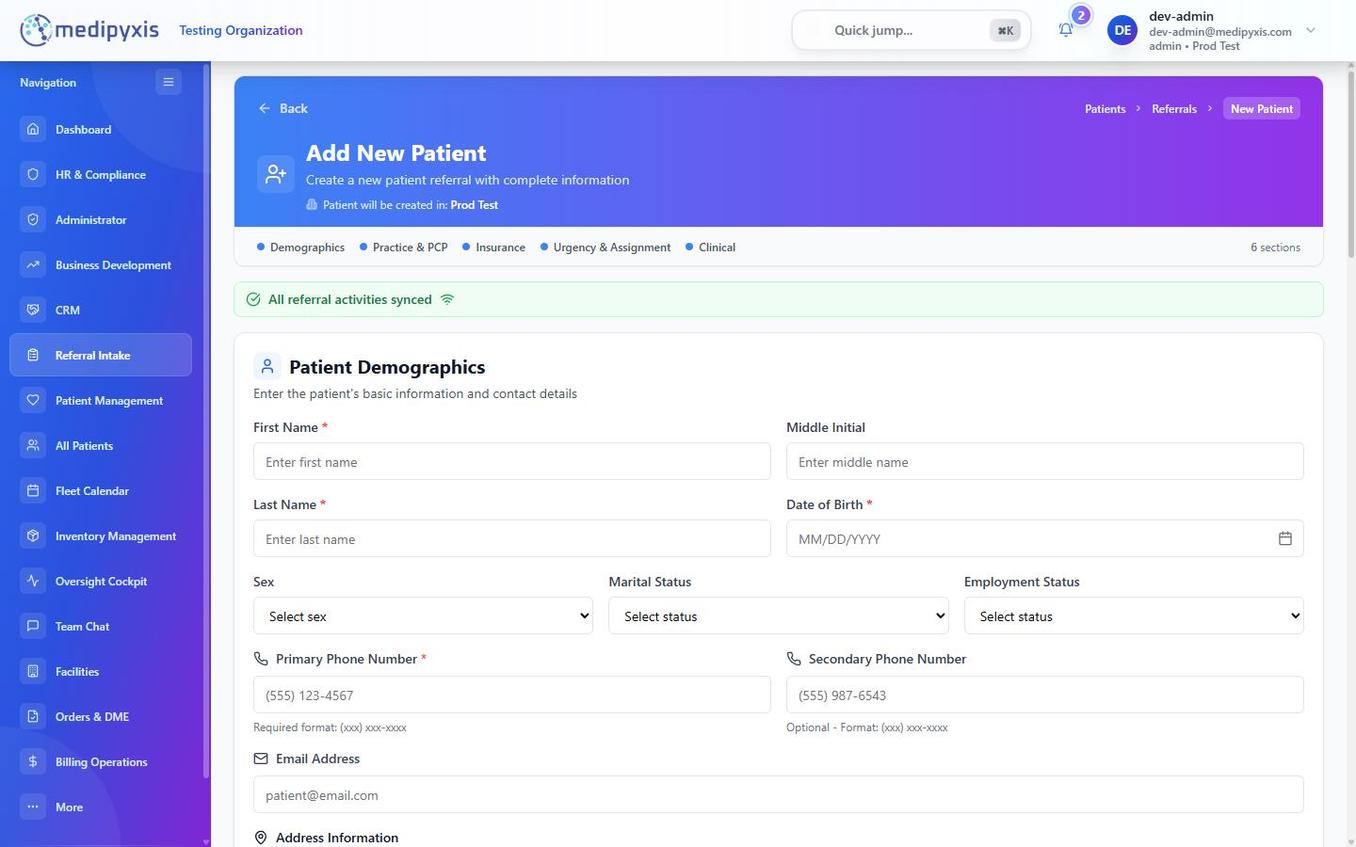
- Fill Demographics. Required: First Name, Last Name, DOB, Phone, Address. Optional: Gender, Preferred Language.
- Add Practice & PCP. Type to search — existing practices autocomplete from your CRM. New practice? Click + Add new practice inline.
- Add Insurance. Start typing the payer name — the field searches the 4,118-payer catalog. Enter Member ID and (if present) Group # and Secondary Payer.
- Set Urgency & Assignment. Pick Routine, Urgent, or STAT. Leave Assigned Clinician blank if you want to hand off to a manager; set it now if you know who should take the case.
- Clinical. Chief Complaint, Wound Location, Wound Etiology, ICD-10 codes, Notes. Use the
Ctrl+KICD-10 picker to find codes by description. - Click Save & Route. The referral drops into New Referrals (or Financial if you set insurance, depending on your org's workflow config).
Result
A new card appears in the kanban with the patient's name, DOB, and urgency color-coded. The detail panel opens automatically — upload any documents (script, progress notes) on the Documents tab now.
Troubleshooting
| Symptom | Likely cause | What to do |
|---|---|---|
| Save button disabled | A required field is empty | Scroll up — missing fields are outlined in red |
| Payer not found | Outdated spelling, or out-of-network payer | Click Request payer add — admin reviews in 1 business day |
| Duplicate warning | Existing patient matches on DOB+name | Click Open existing or Continue anyway with supervisor note |