HR & Compliance overview
HR & Compliance centralizes employee onboarding, credential monitoring, facility user management, and clinical education — all in one module accessible to administrators.
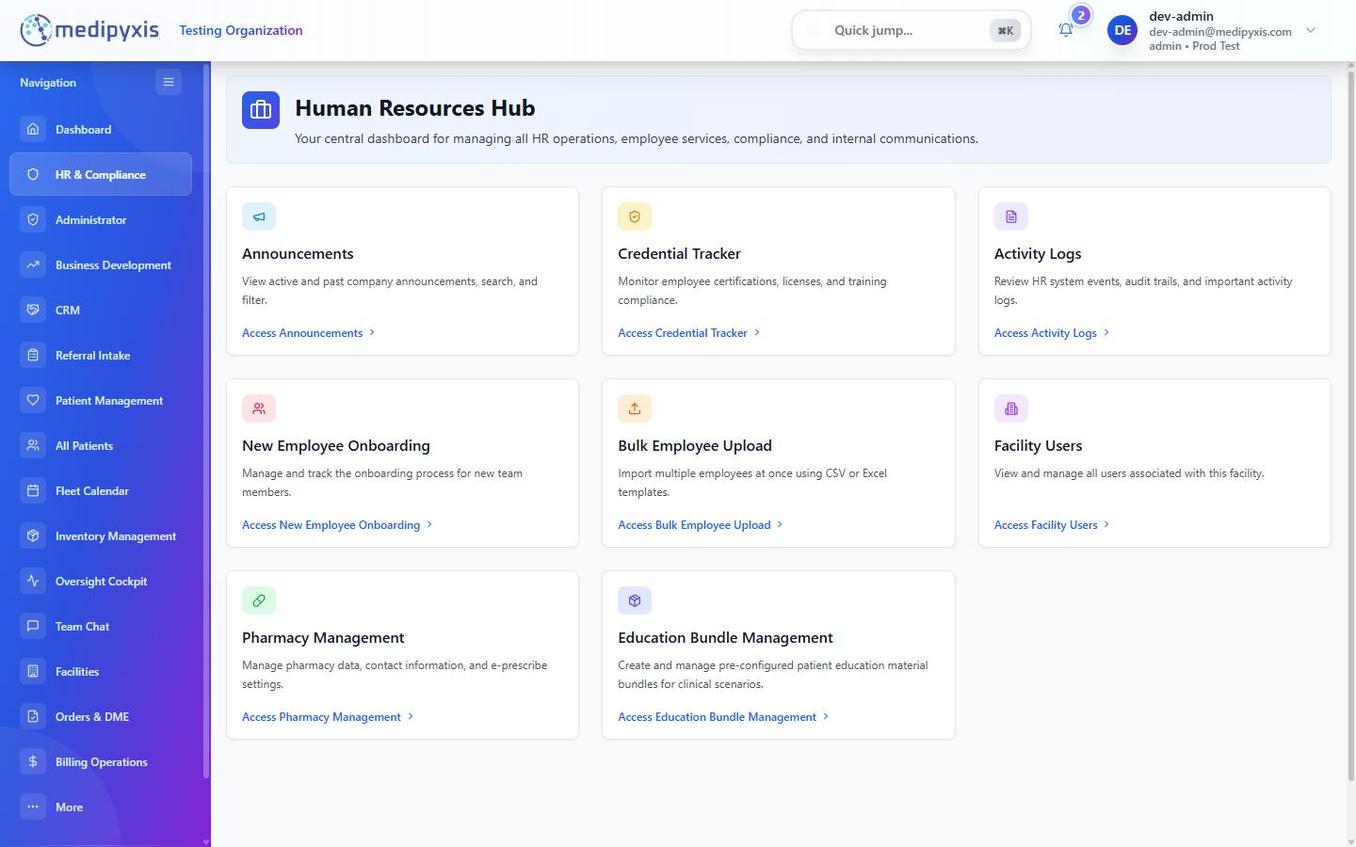
HR & Compliance hub. Each tile leads to a dedicated workflow.
Nine sections
| Section | Purpose |
|---|---|
| Announcements | Post organization-wide or facility-level messages visible to all users on their dashboard. See Announcements for details. |
| Credential Tracker | Monitor license and certification expiry dates for clinical staff. See Credential Tracker for details. |
| Activity Logs | Audit trail of user actions across modules — logins, edits, exports, and sign-offs. |
| New Employee Onboarding | Add a new employee and set up their access on a single form. See Add a new employee. |
| Bulk Employee Upload | Import multiple employee records at once via a CSV template. |
| Facility Users | View and manage all users active at a specific facility — adjust roles, deactivate accounts, or reassign facilities. |
| Pharmacy Management | Configure the approved pharmacy list for medication orders and prescriptions. |
| Education Bundle Management | Create, assign, and track completion of training modules and required competency courses. |
| Training Materials | Publish reference and training documents for staff. |
Who can access this module
HR & Compliance is available to administrators (admin) and to roles granted HR access such as clinical_manager. Clinicians see announcements and their own assigned education on the dashboard but do not open the module directly.
Related
Auto-rendered from related: in frontmatter.