CRM overview
The CRM module is the central directory of referring practices and contacts. It tracks relationships, organizes outreach history, and feeds data to the Business Development dashboard.
A Practices / Vendors toggle switches the directory between referring practices and the vendors hub. On the Vendors side, + Add Vendor registers a vendor and you can enable it at specific clinics; practices and vendors are managed as separate lists.
Built-in CRM tour: managing vendors, reps, and referral sources without external tools.
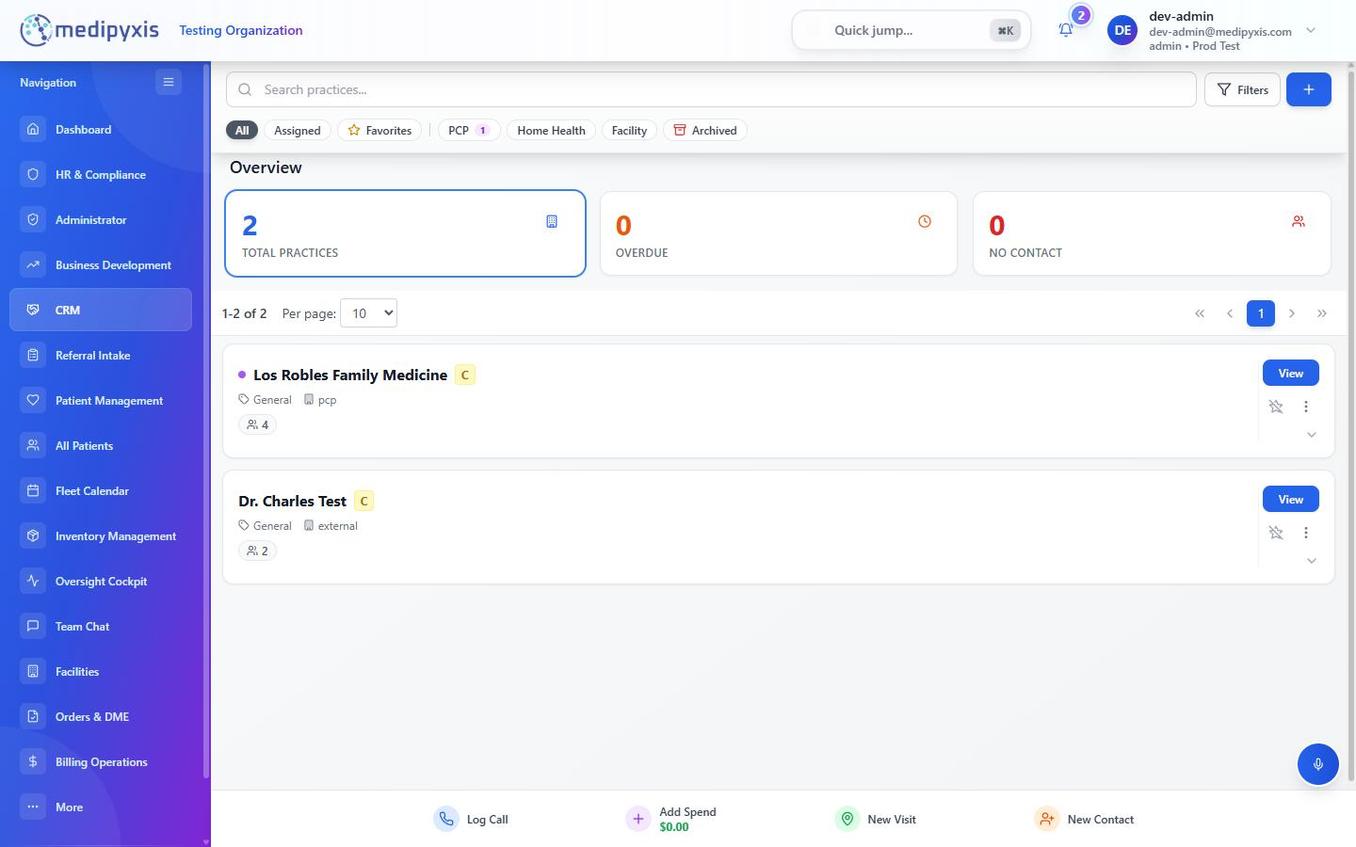
CRM practices list. Tabs across the top filter by relationship type or assignment.
Practice list tabs
Use the tabs across the top of the CRM to segment your practice list:
| Tab | Shows |
|---|---|
| All | Every practice in your organization's CRM. |
| Assigned | Practices assigned to the logged-in BD rep. |
| Favorites | Practices the rep has starred for quick access. |
| PCP | Primary care physician practices only. |
| Home Health | Home health agencies. |
| Facility | Skilled nursing facilities, hospitals, and other institutional referral sources. |
| Archived | Practices that are no longer active — hidden from route suggestions and searches unless this tab is selected. |
Relationship to the Business Development module
Every call, visit, and spend entry logged from the BD dashboard writes back to the practice's activity record in the CRM. The CRM is the system of record; the BD dashboard is the action layer.
When a practice's referral volume or engagement metrics change, the Next Best Action and AI Route Suggestions widgets on the BD dashboard pick up the change on their next refresh — both recompute on demand (with a short cache), not on an overnight batch.
Adding practices
New practices can be added: - Directly in the CRM using + New Practice (top-right). - Inline during referral creation in Referral Intake by clicking + Add new practice in the Practice & PCP section.
Both methods create the same CRM record.
Related
Auto-rendered from related: in frontmatter.