Use the referral detail panel
Clicking any kanban card opens the detail panel on the right. Six tabs cover everything you need to triage, communicate, and prep a patient for their first visit.
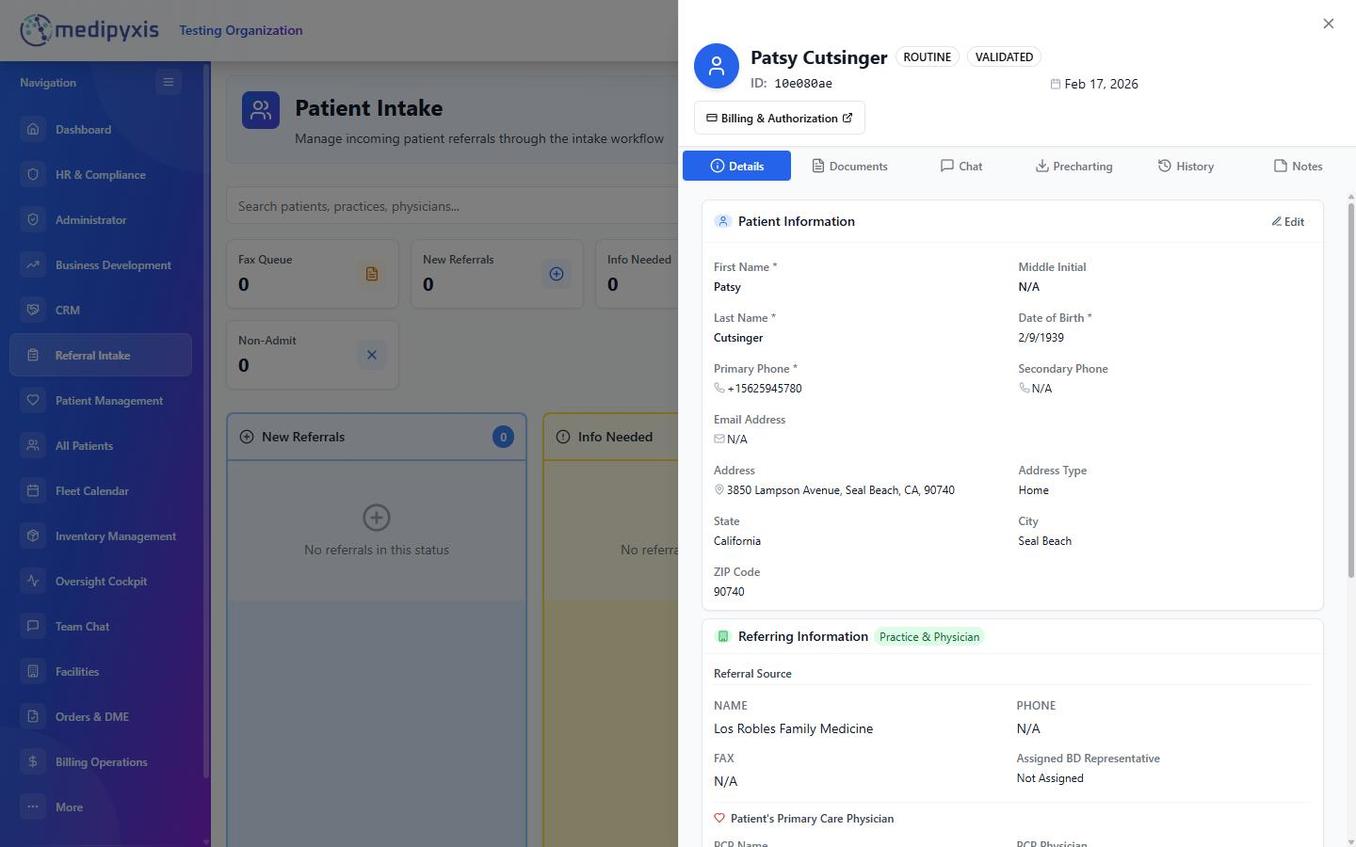
Tabs
| Tab | What's here |
|---|---|
| Details | Demographics, insurance, referring practice, chief complaint, urgency. Editable inline. |
| Documents | Drag-drop uploads. Auto-tags faxes. PHI-watermarked previews. |
| Chat | Threaded intake chat — tag coworkers with @name. Separate from Team Chat (module-wide). |
| Precharting | Quick fields for the clinician's first visit: prior wound pics, known comorbidities, pending IVR. Pre-charted data feeds Visit Wizard step 2 (Patient Context). |
| History | Every status change, assignment, and IVR event with timestamp + actor. Immutable. |
| Notes | Free-form notes, pinned to top of column view. |
Common actions
- Move a card — drag between columns, or click the Status dropdown in the top-right of the panel.
- Assign clinician — click the avatar in the header → pick from the clinician list.
- Decline — click ⋯ → Non-Admit and pick a reason (Coverage · Geography · Clinical · Other).
- Print face sheet — ⋯ → Print renders a one-page intake summary.