Fleet Calendar overview
The Fleet Calendar is the multi-provider scheduling and routing surface that shows every appointment across your facility in one view, organized by provider and day.
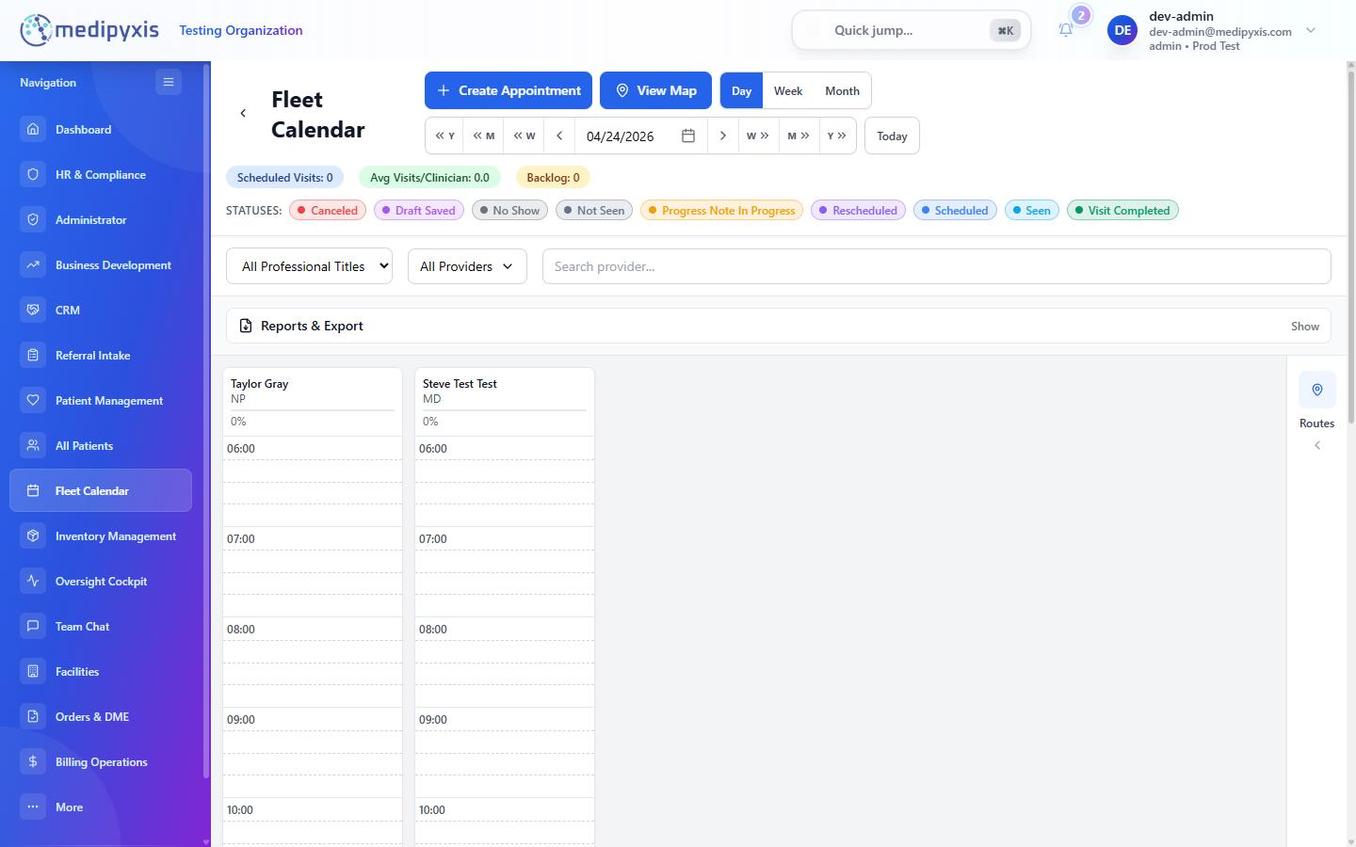
Fleet Calendar — Day view. Each horizontal lane represents one provider; appointment cards are color-coded by status.
Views
| View | What it shows |
|---|---|
| Day | Swim lanes per provider for a single date. Best for daily dispatch. |
| Week | Seven-day grid for all providers. Best for planning coverage gaps. |
| Month | High-level count tiles per day. Best for spotting density patterns. |
Switch views using the Day / Week / Month toggle in the top-right of the calendar.
Appointment status colors
Each appointment card carries a color-coded status that updates as the visit progresses. The status set is data-driven — colors and labels come from your organization's appointment_status configuration — so the exact list can vary. The common statuses are:
| Status | Meaning |
|---|---|
| Scheduled | Booked, not yet started. |
| Draft Saved | Appointment form saved but not confirmed. |
| Progress Note In Progress | Clinician has started the Visit Wizard. |
| Seen | Visit documentation is underway. |
| Visit Completed | Visit Wizard signed and locked. |
| Under Review | Awaiting documentation / review after the visit. |
| Rescheduled | Original slot replaced; a new appointment exists. |
| Canceled | Appointment voided — no replacement created. |
| No Show | Patient did not answer or was unavailable at the door. |
| Not Seen | Clinician arrived but could not complete the visit. |
Relationship to Referral Intake
When a referral card moves into the Assigned column in Referral Intake, it becomes eligible for scheduling in the Fleet Calendar. Select the patient when creating an appointment — the referral data pre-populates the Appointment Type and provider fields.
Specialty routing for Start Visit
Clicking Start Visit on an appointment routes by the patient's care specialty (selected during intake):
- Wound care patients land in the Wound Cockpit, then the Visit Wizard.
- Primary care patients land in the Primary Care Cockpit.
Provider filters live in the Fleet Calendar toolbar, and a View Map action opens the facility route map for the selected day.
Month view
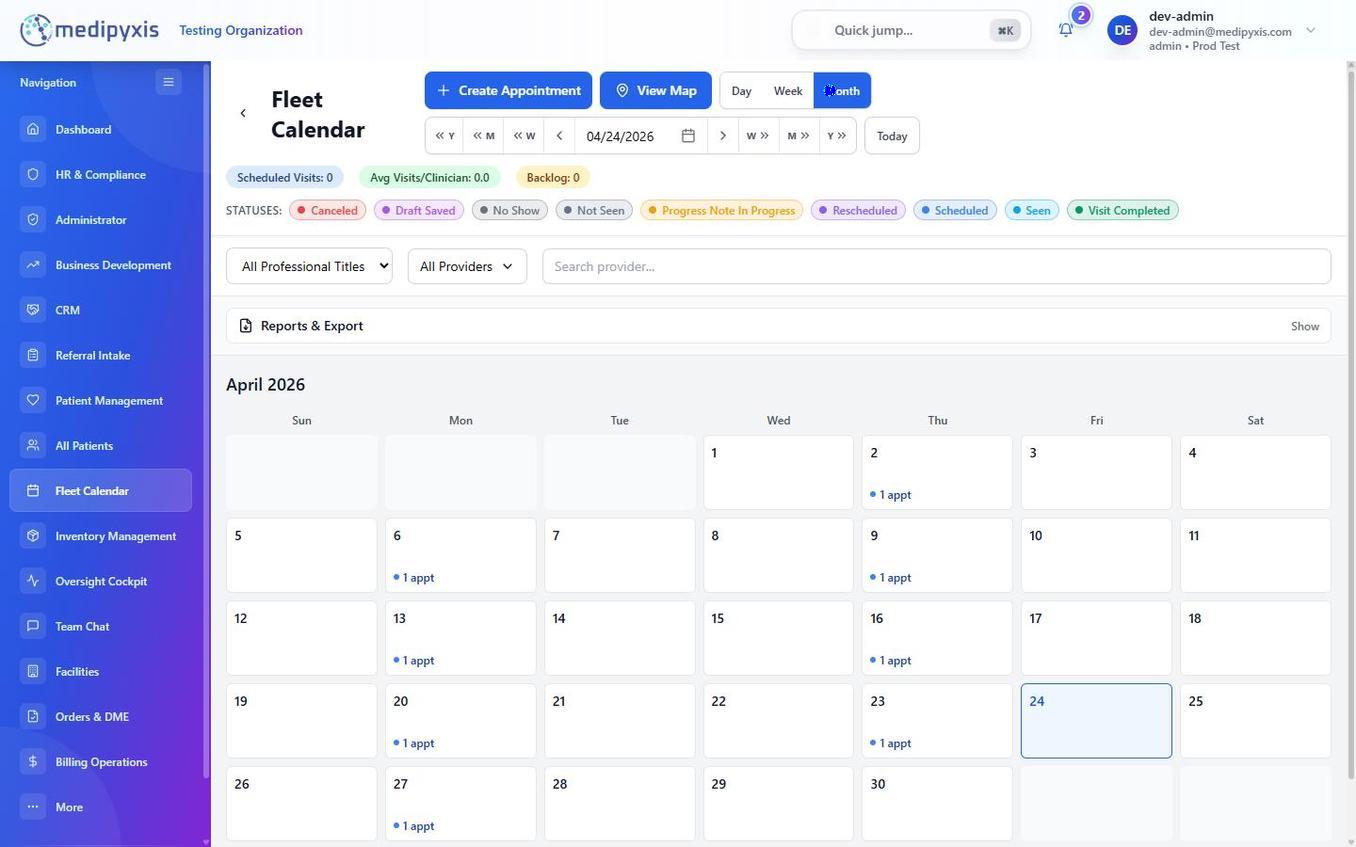
Month view — click any date tile to drill into Day view.
Related
Auto-rendered from related: in frontmatter.