Business Development overview
The Business Development dashboard centralizes your outreach activity, spend tracking, and AI-generated route suggestions in a single screen.
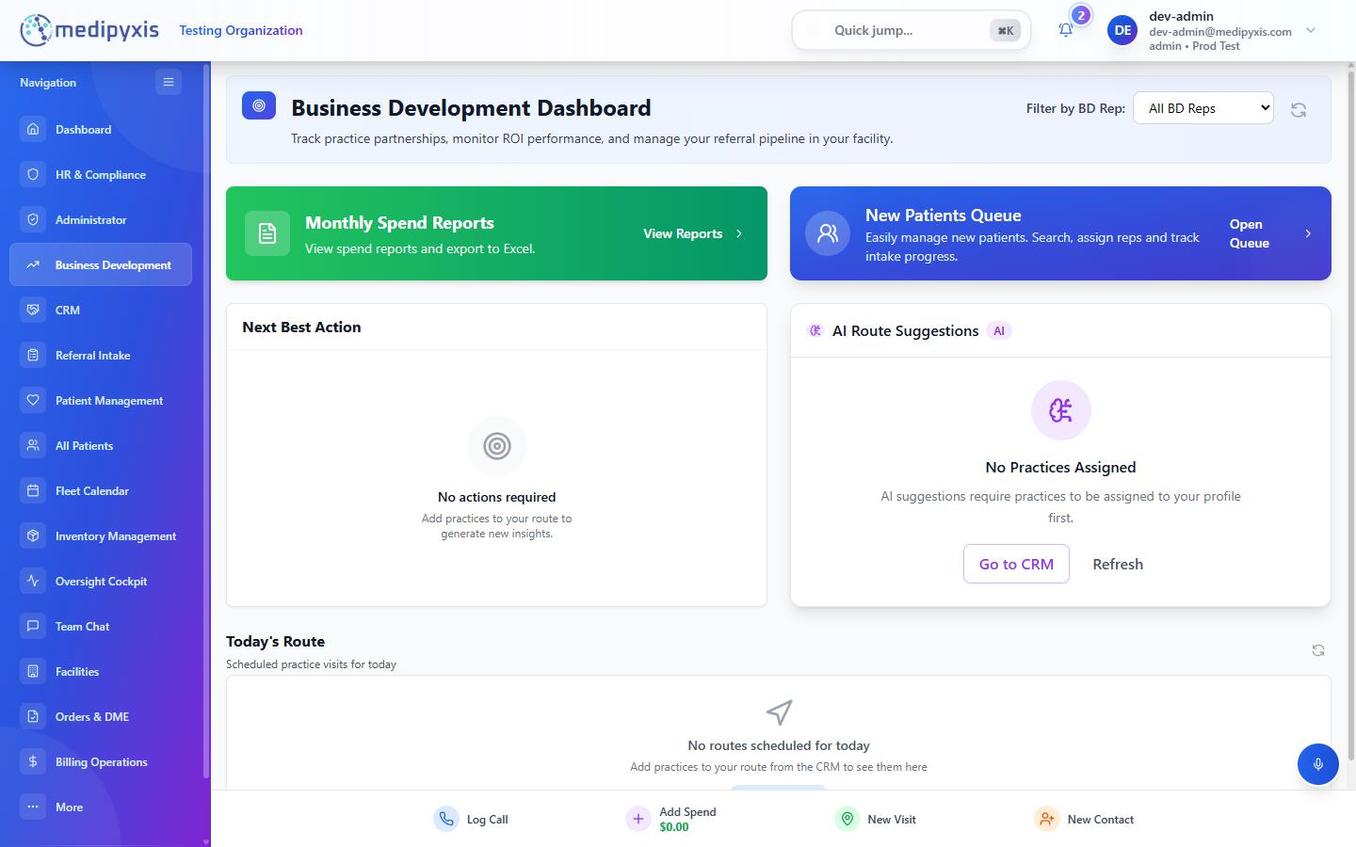
Business Development dashboard. Widgets occupy the main canvas; the quick-add strip provides one-tap shortcuts to the most common tasks.
Rep-scoped by default
The dashboard is scoped to you — reps see their own practices, patients, and activity. Managers and admins get a rep filter to view a specific rep's dashboard (or unassigned records). Manager-level tools live in the separate BD Management surface (team dashboards, coaching, practice assignment, mileage).
Dashboard widgets
| Widget | Purpose |
|---|---|
| Monthly Spend | Summarizes marketing and entertainment spend for the current month. Links to the full spend log. |
| New Patients Queue | Lists recently converted referrals attributed to your outreach. |
| Next Best Action | Your daily outreach queue from a round-robin cycle across your practices — it shows progress as "X of Y practices contacted" so you work through your book evenly. |
| AI Route Suggestions | Proposes practices worth visiting today. See AI Route Suggestions. |
| Today's Route | The practices you've added to today's route. |
Quick-add strip
The quick-add strip provides one-tap shortcuts to the most common BD workflows:
| Action | What it opens |
|---|---|
| Log Call | Phone call logging form — practice, contact, outcome, next steps. |
| Add Spend | Spend entry form — category, amount, associated practice, receipt upload. |
| New Visit | In-person visit log form — date, practice, contact, visit notes. |
| New Contact | Adds a physician, office manager, or referral coordinator to a practice. |
A voice recording option lets you capture a call or visit by voice instead of typing; the recording is attached to the activity.
Related
Auto-rendered from related: in frontmatter.