Referral Intake — overview
Referral Intake is where every patient starts. Faxes, emails, and phone referrals all funnel into a single kanban, move through triage columns, and exit either as an Assigned patient ready for a visit or a Non-Admit.
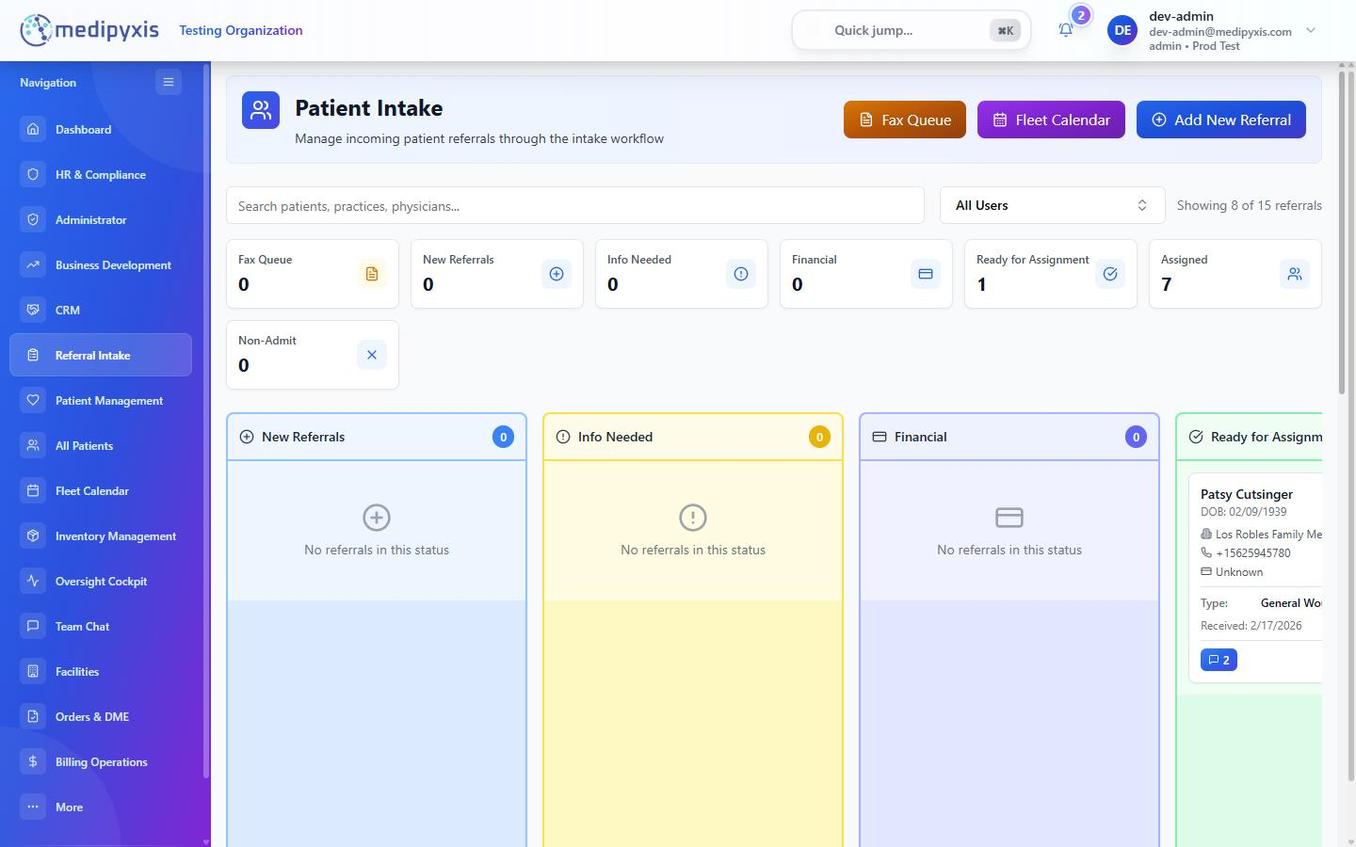
The kanban columns
| Column | What belongs here |
|---|---|
| Fax Queue | Raw inbound faxes not yet mapped to a patient. OCR parses pages; high-confidence pages auto-create draft referrals. |
| New Referrals | Patient created but not yet triaged. |
| Info Needed | Waiting on demographics, PCP info, or clinical notes. |
| Financial | Insurance verification (IVR) in progress. |
| Ready for Assignment | Insurance cleared; awaiting clinician + facility assignment. |
| Assigned | Clinician + facility set. The patient drops out of Referral Intake and appears in Fleet Calendar scheduling. |
| Non-Admit | Declined referrals with reason (coverage, geography, clinical). Terminal. |
Key surfaces
- New Referral form — manual entry. How to create a new referral.
- Fax Review Queue (
/fax-review-queue) — OCR triage with SLA breach timer. Review the Fax Queue. - Detail panel — right-drawer on any card. Six tabs: Details · Documents · Chat · Precharting · History · Notes. Using the detail panel.
SLA expectations
By default:
- Fax Queue → New Referrals: 4 business hours.
- Info Needed: 1 business day per touch.
- Financial (IVR): 2 business days.
- Ready for Assignment → Assigned: same day.
SLA timers turn red when breached and surface on the Dashboard. Admins tune thresholds in Administrator → Organization Role Config.