Add a new employee
Create a user account and set up access from a single New Employee form. Provider-specific fields appear automatically when you assign a clinical role.
Before you start
- You have the employee's legal name, email, and phone number.
- You know which role they will hold and which facility (or facilities) they will work at.
- For providers, you have their credentialing details (NPI, license, DEA, taxonomy) on hand.
Steps
- Open HR & Compliance. Click HR & Compliance in the sidebar.
- Click New Employee Onboarding, then start a new employee. The form opens as a single page — there is no multi-step wizard.
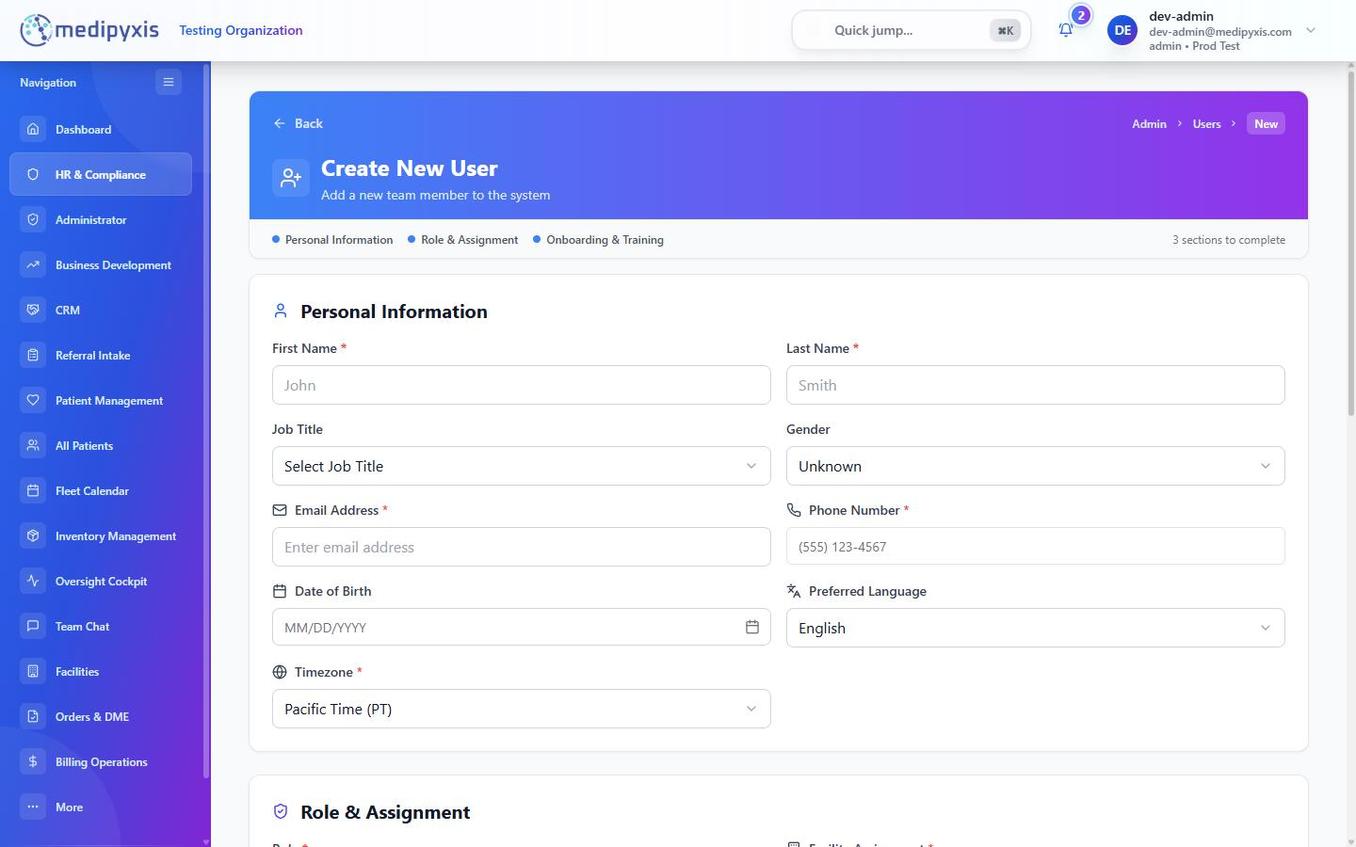
The New Employee form. Provider fields appear when a clinical role is selected.
- Fill in Basic Info: - First Name, Last Name, Email, Phone - Job Title, Role, Manager - Status, Date of Birth, Onboarding Date - Preferred Language, Timezone - NPI (for providers)
- Assign facilities. Select one or more facilities under Facility — the employee's access is scoped to the facilities you assign, and you can assign several at once.
- Choose the Role. Pick from the real role set:
admin,clinical_manager,medical_director,clinician,referral_coordinator,bd_rep,bd_manager,finance_ap, orvendor_coordinator. - Complete Provider Details (providers/clinicians only). When the role is a clinical one, additional fields appear: - Profession Title (NP, PA, MD, DO, DPM, RN, LPN, LVN), Print Name, Initials - Mailing Address, Primary Service Location, Specialty and Specialty Code - Group NPI, UPIN, State License, DEA Number with active/termination dates - Tax ID and type, Taxonomy Code, Organization Type, Billing Facility Name, Network Affiliation - Is Resident / Is Care Manager toggles, and a Signature upload
- Mark onboarding items. Toggle Welcome Call Completed once the initial onboarding call has been made.
- Save. The account is created (via the admin user-creation service) with a
user_facility_rolefor each facility you assigned.
Result
The new employee appears in Facility Users for each assigned facility, with the role you selected. Assign any required license/certification tracking separately in the Credential Tracker, and assign training in Education Bundle Management.
Troubleshooting
| Symptom | Likely cause | What to do |
|---|---|---|
| Email already in use | The person already has an account at another facility | Use Facility Users to add the existing user to this facility instead of creating a new record |
| Save fails | A required field is empty or invalid | Review highlighted fields — provider roles require the additional credentialing fields |
| Provider fields don't appear | A non-clinical role is selected | Provider Details show only for clinical roles (clinician / medical_director) |
Related
Auto-rendered from related: in frontmatter.